August 22, 2026
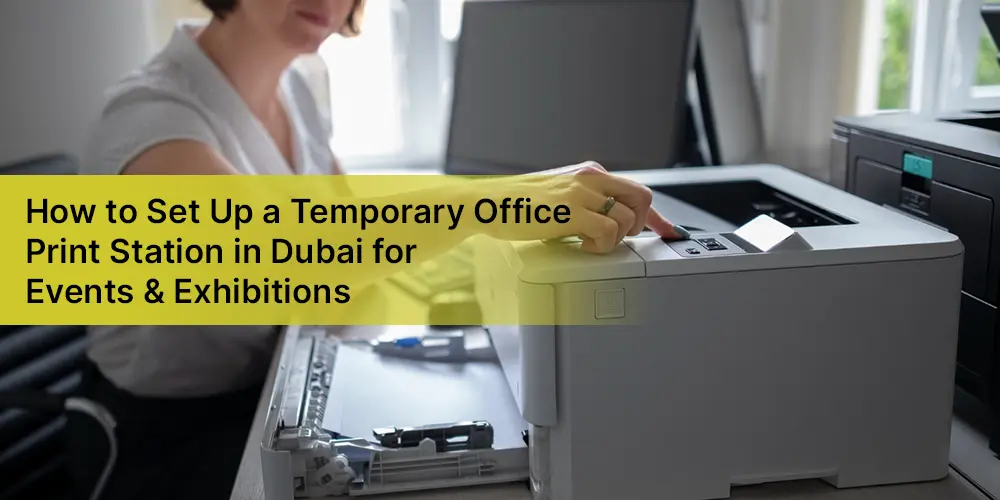
How to Set Up a Temporary Office Print Station in Dubai for Events & Exhibitions
Dubai’s exhibitions, trade shows, conferences, and corporate events move at a fast pace. From visitor registration and exhibitor documents to contracts, brochures, invoices, presentations, ID copies, and last-minute paperwork, printing remains an essential part of event operations.
But setting up a permanent office printer for a temporary event rarely makes financial or practical sense. Buying a high-performance multifunction printer (MFP), arranging installation, purchasing toner, and managing maintenance can add unnecessary costs to an event budget.
A smarter solution is to rent a printer in Dubai for the duration of your exhibition or event. With a temporary print station, businesses can access professional printing, copying, and scanning equipment without committing to long-term ownership. Docmix provides printer and multifunction copier rental solutions across Dubai and the UAE, including short-term requirements for exhibitions, corporate events, temporary offices, and project-based operations.
Why Do Events and Exhibitions Need a Dedicated Print Station?
An exhibition booth may look completely digital, but documents still need to be printed. A sales team may suddenly need additional product brochures. A customer may request a quotation. An exhibitor may need copies of registration documents. Contracts may require signatures. Staff may need to scan documents and send them immediately.Without an on-site printer, employees may have to leave the venue to find a commercial printing shop. This wastes valuable time and can interrupt customer engagement. A dedicated event print station keeps essential document services close to your team.
Depending on your requirements, an event print station can support:
- Black-and-white document printing
- High-volume colour printing
- A3 and A4 printing
- Photocopying
- Document scanning
- Contracts and quotations
- Product brochures and presentations
- Visitor and exhibitor documentation
- Invoices and receipts
- Internal administrative paperwork
- Last-minute marketing materials
For larger exhibitions, choosing a heavy-duty multifunction printer can help the team handle higher print volumes without relying on a small desktop machine.
Step 1: Estimate Your Printing Requirements
Before renting a printer, estimate how much printing your event is likely to generate.
Consider the number of exhibitors, employees, visitors, event days, documents, and expected print volume.
For example, a small corporate event may only require a compact multifunction printer. A large exhibition with multiple sales teams may require a high-volume MFP capable of handling significantly more pages.
Ask yourself:
- How many pages will we print per day?
- Will most documents be colour or black and white?
- Do we need A3 printing?
- Do we need scanning and copying?
- Will several employees connect to the same printer?
- How many days will the equipment be required?
These answers help your rental provider recommend the appropriate machine rather than simply supplying the most expensive model.
Step 2: Choose a Heavy-Duty MFP for High-Volume Events
For a busy exhibition, a basic home or desktop printer may quickly become a bottleneck.
A heavy-duty MFP printer combines several functions into one professional machine. Instead of having separate devices for printing, copying, and scanning, one central unit can manage the document workflow.
For high-volume events, businesses can consider heavy-duty models such as suitable Ricoh multifunction printers, depending on availability and the required specifications.
The exact machine should be selected according to expected monthly or event print volume, colour requirements, paper sizes, speed, finishing requirements, and connectivity.
The advantage is simple: your team gets access to commercial-grade equipment without having to purchase the machine outright.
Step 3: Decide Between Colour and Monochrome Printing
Not every document needs colour.
Internal forms, contracts, invoices, staff documents, and administrative paperwork can often be printed in black and white. Marketing brochures, product presentations, graphics, and client-facing documents may require colour.
If your exhibition involves both types of documents, a colour multifunction printer may provide greater flexibility.
However, if the majority of your workload is black and white, renting a high-speed monochrome MFP may be more economical.
A professional rental provider can help you compare the expected volume, speed, and running requirements before selecting the device.
Step 4: Make Sure the Printer Supports Network Connectivity
An exhibition print station should not become a device that only one employee can use.
Network connectivity allows authorized members of the team to send documents to the printer from their computers.
Depending on the selected model and configuration, businesses may also benefit from features such as mobile printing, network scanning, and cloud-connected workflows. Modern managed print solutions can integrate multifunction devices into an organization’s wider document workflow.
Before the event begins, test:
- Wi-Fi or wired network connectivity
- Printer drivers
- Employee access
- Scanning destinations
- Mobile printing, if required
- Security settings
-Print queues
- Testing everything before the exhibition opens can prevent unnecessary delays on the event day.
Step 5: Plan the Physical Location of the Print Station
Printer placement is more important than it may seem.
The machine should be positioned where authorized employees can access it easily without obstructing visitors or creating unnecessary noise around the main exhibition area.
Consider:
- Accessibility: Staff should be able to reach the printer quickly.
- Power: Make sure the location has a suitable electrical connection.
- Network: Confirm reliable network connectivity.
- Ventilation: High-performance machines need an appropriate operating environment.
- Paper storage: Keep commonly used paper close to the machine.
- Security: Important contracts and confidential documents should not be left unattended.
For larger events, a separate back-office or staff-only printing area can be ideal.
Step 6: Arrange Delivery and Installation Before the Event
One of the biggest mistakes businesses make is waiting until the exhibition starts to arrange their printing equipment. A temporary printer should ideally be delivered and configured before the event begins.
Docmix provides delivery, installation, and on-site technical support across Dubai and the UAE. Its website states that most printer rental and lease setups can be completed within 24–48 hours depending on the model and agreement.
For an exhibition, however, it is better to schedule installation well in advance rather than relying on last-minute availability.
Your setup checklist should include:
- Printer delivery
- Physical installation
- Network configuration
- Driver installation
- Test printing
- Scanning test
- Toner check
- Paper loading
- Staff orientation
- Backup/support arrangements
Step 7: Don't Forget Toner, Paper and Consumables
A printer is only useful when it is ready to print. High-volume events can consume paper and toner much faster than a normal office environment. When arranging a printer rental, confirm exactly what is included in your agreement.
Ask about:
- Toner supply
- Paper requirements
- Spare consumables
- Maintenance
- Technical support
- Service response time
- Additional print charges
- Emergency support
Step 8: Prepare for Last-Minute Printing
Exhibitions rarely go exactly according to plan.
A presentation may change minutes before a meeting. A customer may request additional documents. A sales team may run out of brochures. A contract may need to be printed and signed immediately.
This is why a temporary print station should have sufficient capacity for unexpected demand.
If your event is expected to generate high printing volumes, it can be better to choose a professional high-speed MFP rather than trying to manage the workload through several small printers. The objective is not simply to print documents. It is to keep your event team productive.
Why Rent a Printer Instead of Buying One for an Exhibition?
Buying an enterprise printer for a short-term event can leave you with equipment that you may not need after the exhibition.
Printer rental offers greater flexibility.
With a rental model, businesses can access professional equipment for a defined period without making a large upfront investment. Rental plans are particularly suitable for temporary offices, special events, and short-term projects.
This can be useful for:
- Trade exhibitions
- Corporate conferences
- Product launches
- Temporary project offices
- Training programmes
- Seminars
- Pop-up business operations
- Seasonal business activities
- Multi-day promotional events
Once the event is over, the equipment can be returned according to the rental agreement instead of remaining as an unused asset.
Conclusion
A successful exhibition depends on hundreds of small operational details. Printing should not become one of the problems your team has to worry about.
By estimating your print volume, selecting the right MFP, arranging network connectivity, preparing consumables, and organising installation before the event, you can create a reliable temporary office print station.
And if you are planning an exhibition, trade show, conference, or temporary office in Dubai, you don't necessarily need to buy a printer. You can rent a professional printer in Dubai for the duration of your event.
From everyday multifunction printers to heavy-duty MFP solutions for demanding exhibition workloads, Docmix can help businesses select a suitable rental solution with delivery,