September 18, 2026
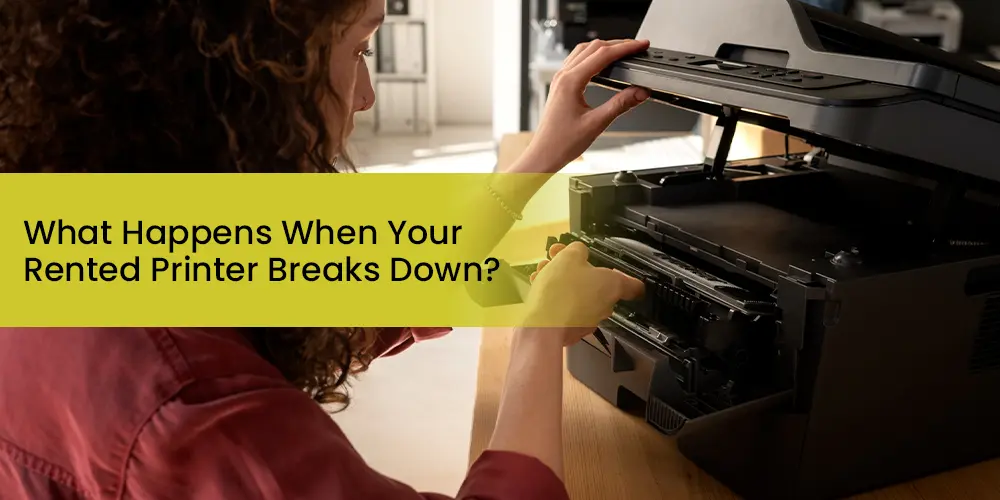
What Happens When Your Rented Printer Breaks Down?
When a rented printer breaks down, the rental provider is responsible for all repairs, parts, and labour. You call their support line, describe the issue, and they respond with remote troubleshooting or an on-site technician visit (typically same-day or next-business-day in the UAE). If the machine cannot be fixed in a reasonable time, a reputable provider will replace it at no extra cost. Your rental payments continue unaffected, and any charges for damage caused by user negligence may apply depending on your agreement.
Why Rented Printers Break Down (And Why It's More Common Than You Think)
Even high-quality managed print equipment has a failure rate. Printers are mechanical and electronic devices operating under daily stress, and no brand — Canon, Konica Minolta, Kyocera, Ricoh, Sharp — is immune to component wear. Understanding the most common causes helps you describe the issue clearly when you call for support, which speeds up the technician's diagnosis.
Paper jams and feed issues - the single most frequent complaint in busy office environments. Often caused by incorrect paper size loaded, damp paper, or worn pick-up rollers.
Fuser unit malfunctions - the fuser bonds toner to paper using heat and is one of the most commonly replaced components in high-volume machines.
Toner or ink cartridge failure - including incorrect installation, empty cartridges, or dried ink in inkjet units left idle.
Network and connectivity drops - particularly common after office IT changes, router replacements, or software updates.
Driver or software conflicts - a Windows or macOS update can unexpectedly break printer communication.
Drum unit wear - produces streaky or faded prints as the drum degrades over its print cycle.
Power or electrical issues - power surges, inadequate supply, or a tripped switch can temporarily or permanently damage internal components.
The critical difference between owning a printer and renting one: when you own it, every single one of those failures becomes your problem to diagnose, source parts for, and pay a technician to fix. When you rent, the responsibility sits firmly with the provider.
What Happens When Your Rented Printer Breaks Down — Step by Step
Here is the standard process with a quality rental provider like Docmix in the UAE. Knowing these steps in advance means you lose less time when the situation actually occurs.
1
Contact Your Rental Provider Immediately
Don't troubleshoot alone for too long. Call the support line or submit a service ticket the moment you identify a malfunction. Have your contract number, equipment serial number, and a clear description of the issue ready. A photo of any error code on the screen helps enormously.
2
Remote Troubleshooting (15–30 Minutes)
A trained support agent will guide you through basic diagnostics: restarting the machine, checking toner status, clearing paper paths, and verifying network connections. Many issues including some that appear catastrophic are resolved at this stage with no technician visit needed.
3
On-Site Technician Dispatch
If remote troubleshooting doesn't resolve the fault, your provider schedules a technician visit. In the UAE, a quality provider should commit to same day or next business day response. The technician will diagnose the issue, replace faulty parts, and run test prints before leaving.
4
Parts Replacement - Covered by the Provider
Under a full-service rental agreement, all replacement parts - fuser units, drums, rollers, circuit boards are provided at no additional cost to you. This is the core financial benefit of renting versus owning.
5
Unit Replacement If Unrepairable
If a fault is too complex to fix on-site or will take more than a day or two, a reputable provider will bring a replacement machine typically a comparable model at no extra charge. Your rental agreement should explicitly guarantee this.
6
Follow-Up and Preventive Service
After the repair or replacement, document what happened and request confirmation. Quality providers log every service call. Recurring faults on the same machine can be grounds to request a permanent unit swap or to renegotiate your SLA terms.
Who Pays for Repairs When a Rented Printer Breaks Down?
This is the question businesses most want answered and the answer is reassuring if you have the right agreement in place.
Under a full service rental or all inclusive lease, the rental company covers all repair costs. That includes labour, parts, on-site visits, and toner/consumables up to your volume limit. You pay only your agreed monthly rental fee, nothing more.
Where it gets complicated is the distinction between the leasing company (the finance entity you pay monthly) and the vendor (the company that actually supplied and services the equipment). In many printer lease arrangements in the UAE, these are two different parties. If your machine breaks down and you call the finance company, they'll typically redirect you to the vendor because the vendor is responsible for the technical side. Knowing who to call before a breakdown occurs is one of the most practical things you can do today.
What Is Covered And What Isn't : When a Rented Printer Breaks Down
Every rental agreement has exclusions, and understanding them prevents unwelcome surprises. Here's a clear breakdown of what typical full-service agreements in the UAE cover versus what falls outside coverage:
| Scenario | Typically Covered? | Notes |
|---|---|---|
| Normal mechanical wear and tear | ✔ Yes | Fuser, drums, rollers, belts — standard coverage |
| Software / driver conflicts after IT update | ✔ Usually | May require remote support session; confirm with provider |
| Toner and consumables | ✔ In all-inclusive plans | Some base-rent-only plans exclude consumables |
| Replacement unit during extended repair | ✔ With quality providers | Always ask for this to be explicitly stated in your contract |
| Damage from user misuse or accidents | ✘ No | Dropping the machine, liquid damage, forcing jammed paper |
| Use of non-approved toner or supplies | ✘ No | Using third-party toner can void service coverage |
| Power surge damage without surge protection | ✘ Usually No | Protect equipment with a UPS or surge protector |
| Environmental damage (flooding, fire) | ✘ No | Falls under force majeure or your own business insurance |
How Fast Should Your Provider Respond? (UAE Standard Response Times)
Response time is the metric that separates professional printer rental companies from unreliable ones. Industry standard in the UAE for managed print and copier rental services breaks down like this:
Remote support: Initial response within 2–4 hours of your support request during business hours.
On-site visit for critical failures: Same-day service (within 4–8 hours) for businesses in Dubai, Abu Dhabi, and Sharjah.
Non-urgent repairs: Next-business-day technician visit.
Replacement unit provision: Within 24–48 hours if the machine is beyond same-day repair.
These timelines should be locked into your rental agreement as a Service Level Agreement (SLA). If your current provider has no documented SLA, that's a serious gap and a reason to ask for one in writing or consider switching.
The Real Business Cost of Printer Downtime in the UAE
Downtime from a broken printer is rarely just inconvenience. For businesses processing contracts, invoices, regulatory documentation, or client deliverables, a non-functional printer means:
- Contracts delayed or signed late, affecting revenue recognition
- Invoice printing backlogs that delay payment cycles
- Staff productivity loss as teams scramble for workarounds
- Reputational risk with clients who expect timely, professional documentation
- Overtime costs if staff have to stay back to catch up after the printer is restored
- Research from the print management industry consistently shows that printer downtime costs businesses significantly more than the rental fee itself — a figure that scales quickly in high-volume environments like legal firms, healthcare clinics, financial services, and construction companies across Dubai and Abu Dhabi.
What You Should Do Right Now - Before Your Printer Breaks Down
The best time to prepare for a breakdown is when everything is working perfectly. Here's a short checklist that takes ten minutes and saves hours of stress later:
1. Save your rental provider's support number to a shared team contacts list — not just one person's phone.
2. Locate your contract or rental agreement and note your equipment serial number and contract reference. Keep a copy accessible digitally and physically.
3. Confirm your SLA — call your provider today and ask: "What is your guaranteed response time if our printer breaks down?" If they can't answer clearly, request it in writing.
4. Set up a cloud print or digital backup — PDF signing tools, email delivery, or cloud document systems can bridge a short gap if your printer is being repaired.
5. Only use approved consumables — confirm with your provider which toner brands and suppliers keep your maintenance coverage intact.
6. Document recurring issues — if the same machine has had two or more faults, you have grounds to request a replacement unit. Keep service call records.
Why Docmix Customers in Dubai Experience Less Downtime
At Docmix Technologies, our rental agreements are built around a simple idea: if the printer stops, your workflow shouldn't. Our full-service rental plans for businesses across Dubai and the UAE include:
1. Free consumables - toner, parts, and supplies included in your monthly fee
2. Free black and white and colour prints up to your volume limit
3. On-demand repairs with fast technician response across Dubai
4. Preventive maintenance scheduled to reduce breakdown risk
5. Replacement equipment policy for machines that cannot be repaired promptly
6. Network support and driver troubleshooting as part of the service
7. Flexible monthly and annual rental terms - no heavy upfront investment
We service multifunction Canon, Konica Minolta, Kyocera, and Ricoh copiers and printers for startups, SMEs, enterprises, and government departments across the UAE.